> For the complete documentation index, see [llms.txt](https://docs.pentaho.com/llms.txt). Markdown versions of documentation pages are available by appending `.md` to page URLs; this page is available as [Markdown](https://docs.pentaho.com/pdia-data-integration/pdi-transformation-steps-reference-overview/snowflake-bulk-loader.md).
# Snowflake Bulk Loader
Use the Snowflake Bulk Loader step in your transformation to bulk-load data to Snowflake. This is different from the Table Output step in that this allows you to bulk load the data as opposed to loading it row-by-row. This can result in significantly better performance.
## Prerequisites
You must have the following information in order to connect to your Snowflake instance:
1. **Location of the source S3 bucket or Internal Staging Area and file**. Note that your Snowflake instance must also have access to this location in order to access the files / objects that will be loaded. The following (input) file formats are supported:
1. Delimited
2. Avro
3. JSON
4. ORC
5. Parquet
6. XML
You will need to setup a VFS connection to the S3 bucket to Internal Staging area. See \ for further details
2. I**P / Domain, Port, Private Key File / Password** for the target Snowflake Database. You will need to setup a connection to the target Snowflake Database (see \ for further details on how to setup a Snowflake connection)
3. **Schema and Table name** in the target Snowflake Database to which the data will be uploaded
## Using the Step
Once you have the step on main canvas, double click on the step. This will open a dialog to configure the step details.
{% stepper %}
{% step %}
#### Specify Step Name
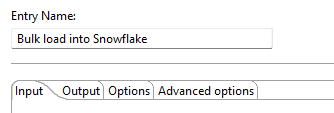
Specify the **unique name of the step** on the canvas. You can customize the name or leave it as the default.
{% endstep %}
{% step %}
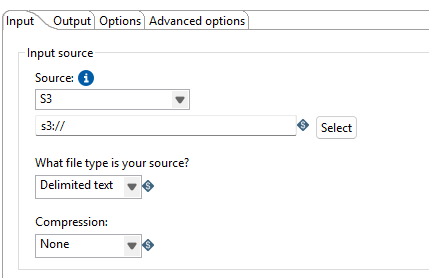
#### Specify Input Source
Specify the following:
1. **Source Type**: S3 or Snowflake Staging Area
2. **S3 location or Snowflake Staging Area & file** from which the data will be loaded (should be known as laid out in the *Prerequisites* above)
3. **File type** (see *Prerequisites* for supported file types)
4. **Compression type** of the source file
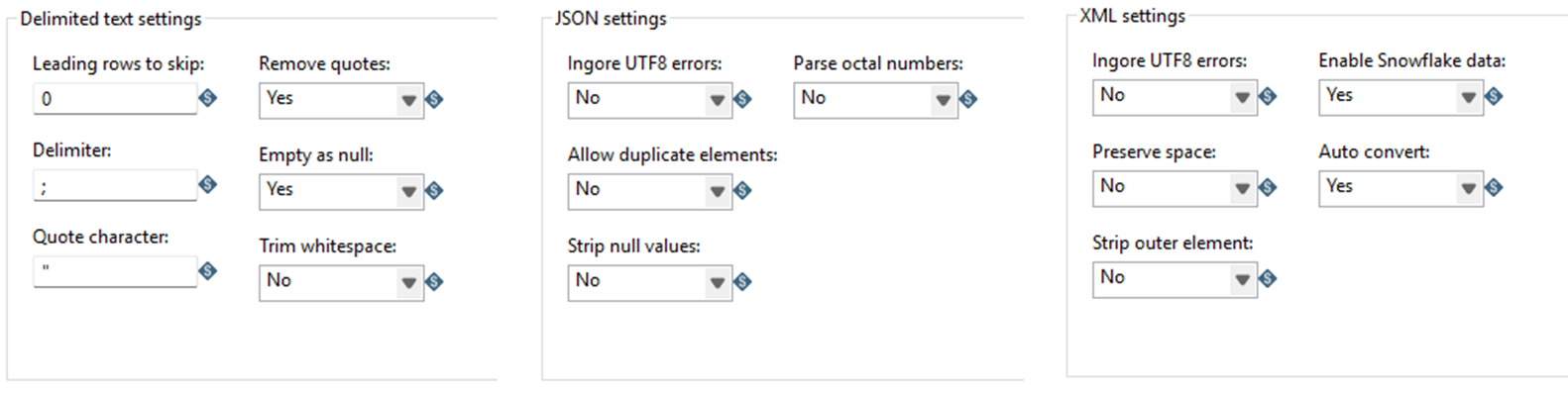
If you choose file type as "**Delimited**" or "**JSON**" or "**XML**", then you will need to provide additional information as shown in the image below
{% endstep %}
{% step %}
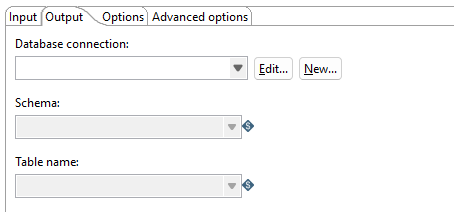
#### Specify Output Target
You will need to specify the target database **Connection, Schema, and Table** here. These should all be established / known as laid out in the *Prerequisites* above. You can also create a new Snowflake connection here (by clicking on New). You will need to follow the same instructions as specified in *Prerequisites* above.
{% endstep %}
{% step %}
#### Specify Options / Advanced Options
Specify the following:
1. Whether you need the target Table truncated before the load starts
2. What action to take on encountering errors
3. Advanced options (see Copy Options under )
{% endstep %}
{% endstepper %}
## Metadata Injection Support
All fields of this step support metadata injection. You can use this step with [ETL metadata injection](/pdia-data-integration/pdi-transformation-steps-reference-overview/etl-metadata-injection.md) to pass metadata to your transformation at runtime.
---
# Agent Instructions
This documentation is published with GitBook. GitBook is the documentation platform designed so that both humans and AI agents can read, navigate, and reason over technical content effectively. Learn more at gitbook.com.
## Querying This Documentation
If you need additional information that is not directly available in this page, you can query the documentation dynamically by asking a question.
Perform an HTTP GET request on the current page URL with the `ask` query parameter, and the optional `goal` query parameter:
```
GET https://docs.pentaho.com/pdia-data-integration/pdi-transformation-steps-reference-overview/snowflake-bulk-loader.md?ask=&goal=
```
`ask` is the immediate question: it should be specific, self-contained, and written in natural language.
`goal` is optional and describes the broader end goal you are ultimately trying to accomplish on behalf of the user. GitBook uses it to tailor the answer towards what is most useful for that goal.
The response will contain a direct answer to the question and relevant excerpts and sources from the documentation.
Use this mechanism when the answer is not explicitly present in the current page, you need clarification or additional context, or you want to retrieve related documentation sections.